Jhapa Technical is a professional web hosting and web development company specializing in WordPress optimization, server management, and PHP compatibility upgrades.
Introduction
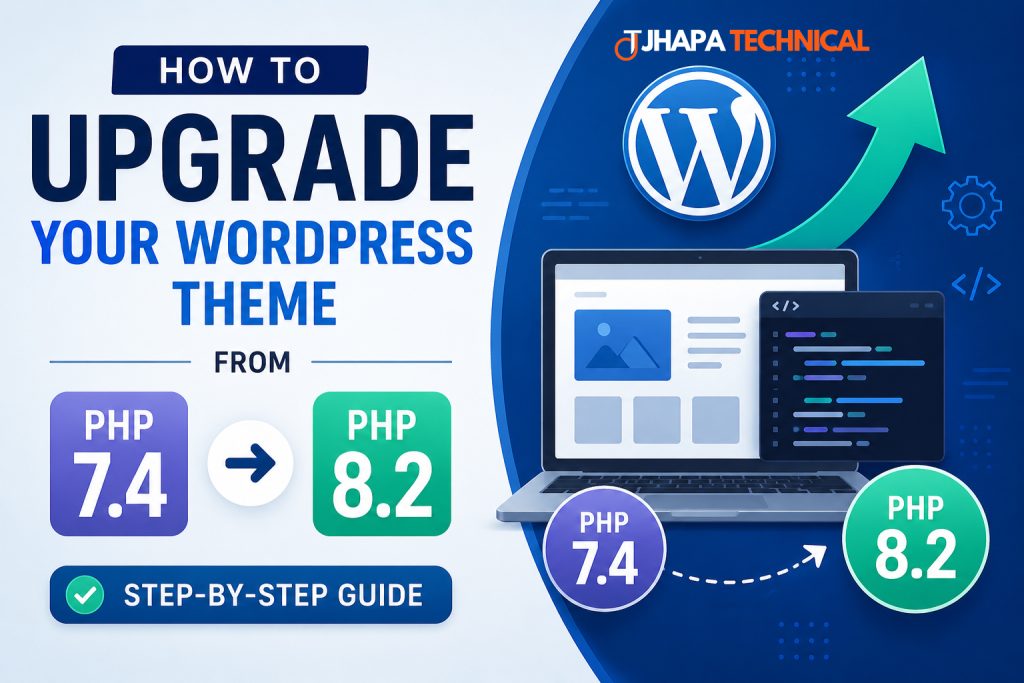
If your WordPress theme works only with PHP 7.4 and shows errors when you switch to PHP 8.2, your theme contains outdated code that is no longer supported.
At Jhapa Technical, we regularly help businesses upgrade legacy WordPress themes so they run smoothly on the latest PHP versions.
This complete guide explains how to update your theme and resolve PHP 8.2 compatibility issues.
Why Upgrade to PHP 8.2?
PHP 8.2 provides major improvements:
- Faster website performance
- Better security
- Lower memory usage
- Improved code quality
- Support for the latest WordPress versions
Benefits for Your Website
When Jhapa Technical upgrades a website to PHP 8.2, clients often experience:
- Faster page loading times
- Improved SEO performance
- Better compatibility with plugins
- Reduced security risks
- Stable long-term hosting support
Common Errors in PHP 8.2
Older themes may display errors such as:
Deprecated: Creation of dynamic property
Undefined array key
Passing null to trim()
Call to undefined function create_function()
These errors are common when custom themes have not been updated for several years.
Step 1: Back Up Your Website
Before making any changes, create a full backup of:
- Website files
- Database
- Theme folder
- Uploads directory
Jhapa Technical strongly recommends testing all changes in a staging environment before updating your live website.
Step 2: Enable WordPress Debug Mode
Edit your wp-config.php file:
define('WP_DEBUG', true);
define('WP_DEBUG_LOG', true);
define('WP_DEBUG_DISPLAY', false);
Errors will be saved in:
/wp-content/debug.log
This log will identify the exact files and line numbers that need updates.
Step 3: Update Deprecated Code
Fix Dynamic Properties
Old Code
class ThemeOptions {}
$options = new ThemeOptions();
$options->title = 'My Site';
Updated Code
class ThemeOptions {
    public string $title = '';
}

$options = new ThemeOptions();
$options->title = 'My Site';
Fix Undefined Array Keys
Old Code
$page = $_GET['page'];
Updated Code
$page = $_GET['page'] ?? '';
Fix Null Values Passed to Functions
Old Code
echo trim($value);
Updated Code
echo trim($value ?? '');
Replace create_function()
Old Code
$callback = create_function('$x', 'return $x * 2;');
Updated Code
$callback = function ($x) {
    return $x * 2;
};
Replace Old Constructors
Old Code
class MyTheme {
    function MyTheme() {
        // constructor
    }
}
Updated Code
class MyTheme {
    public function __construct() {
        // constructor
    }
}
Step 4: Scan Your Theme Automatically
Recommended tools:
- PHPCompatibility for WordPress
- PHP_CodeSniffer
- Visual Studio Code
Jhapa Technical uses automated compatibility scans to quickly identify deprecated code and generate a remediation plan.
Step 5: Update WordPress and Plugins
Ensure the following are fully updated:
- WordPress core
- Theme files
- Plugins
- WooCommerce (if installed)
Many PHP issues are resolved by updating software to the latest supported version.
Step 6: Test with PHP 8.2
After fixing the code, switch your hosting account to PHP 8.2 and test:
- Homepage
- Admin dashboard
- Contact forms
- WooCommerce pages
- Custom widgets
- Theme options
Review the debug.log file for any remaining notices.
Step 7: Follow Modern PHP Standards
Use current best practices:
- Declare all class properties
- Use type hints
- Validate variables before use
- Use
??for safe defaults
Example
<?php
declare(strict_types=1);

function clean_title(?string $title): string
{
    return trim($title ?? '');
}
Common PHP 8.2 Errors and Fixes
| Error Message | Solution |
|---|---|
| Creation of dynamic property is deprecated | Declare the property in the class |
| Undefined array key | Use ?? fallback |
| Passing null to trim() | Use trim($value ?? '') |
create_function() removed |
Use anonymous functions |
| Old constructors | Rename to __construct() |
When to Replace the Theme
If your theme is very old and contains extensive outdated code, replacing it may be more efficient.
Recommended modern themes:
- Astra
- GeneratePress
- Kadence
- Blocksy
Jhapa Technical can evaluate whether upgrading or rebuilding your theme is the better long-term solution.
Professional Upgrade Services by Jhapa Technical
Jhapa Technical offers:
- WordPress theme PHP 8.2 compatibility upgrades
- Deprecated code fixes
- WordPress optimization
- Malware cleanup
- Server migration
- cPanel and hosting support
- WooCommerce troubleshooting
Best Practices Before Switching to PHP 8.2
- Create a full backup
- Test on staging
- Enable debug mode
- Fix all warnings and errors
- Update plugins and themes
- Verify forms and payment systems
- Switch production only after successful testing
Conclusion
Upgrading your WordPress theme from PHP 7.4 to PHP 8.2 is essential for better security, performance, and compatibility.
Most issues can be fixed by replacing deprecated functions, validating variables properly, and following modern PHP standards.
If you need expert assistance, Jhapa Technical can analyze your theme and make it fully compatible with PHP 8.2.
Contact Jhapa Technical
Jhapa Technical
Web Hosting & Web Development Company
Services:
- WordPress Development
- PHP Script Customization
- WHMCS Support
- Server Administration
- Website Security
- SEO Optimization
Need help upgrading your WordPress theme to PHP 8.2? Upload your theme ZIP file, and Jhapa Technical can identify and fix all compatibility issues.